One place for games and practices
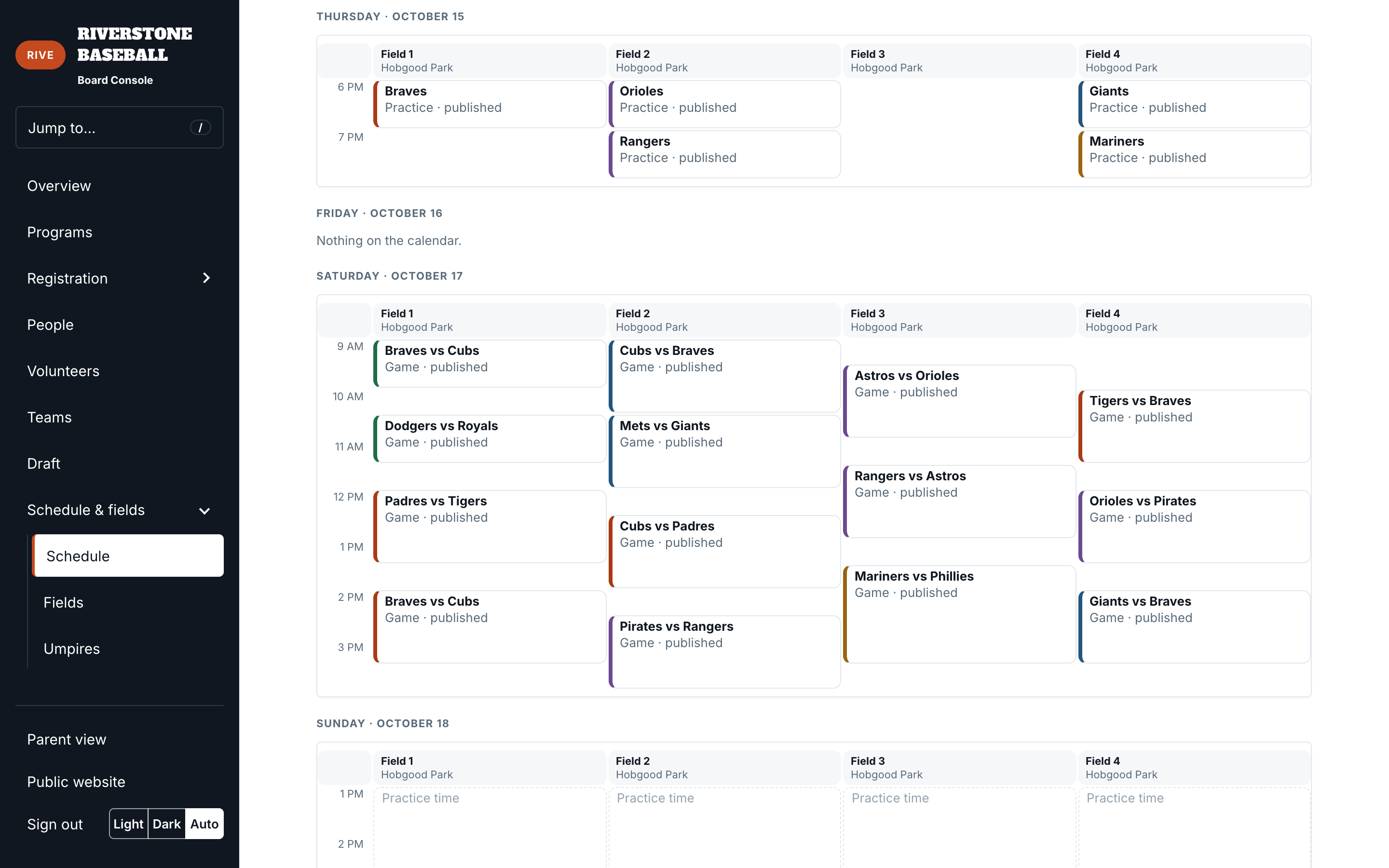
Shared field availability catches collisions across both kinds of events. A practice does not become invisible just because you are working on games.
Games & practices
Plan games and practices around the same fields, then keep families informed when plans change.
From setup to game day
Add your facilities and fields, then define the time available for games and practices. Game day templates set the order and duration of division slots. Practice rules set how often teams practice and how late each division can start. Both use the same field inventory to prevent double-booking.
Work on draft schedules before families see them. The calendar and week view help you inspect field use and move draft games into valid openings. Review & publish summarizes the scope and flags blockers before the board commits. Publishing makes events visible; it does not send a launch email by itself.
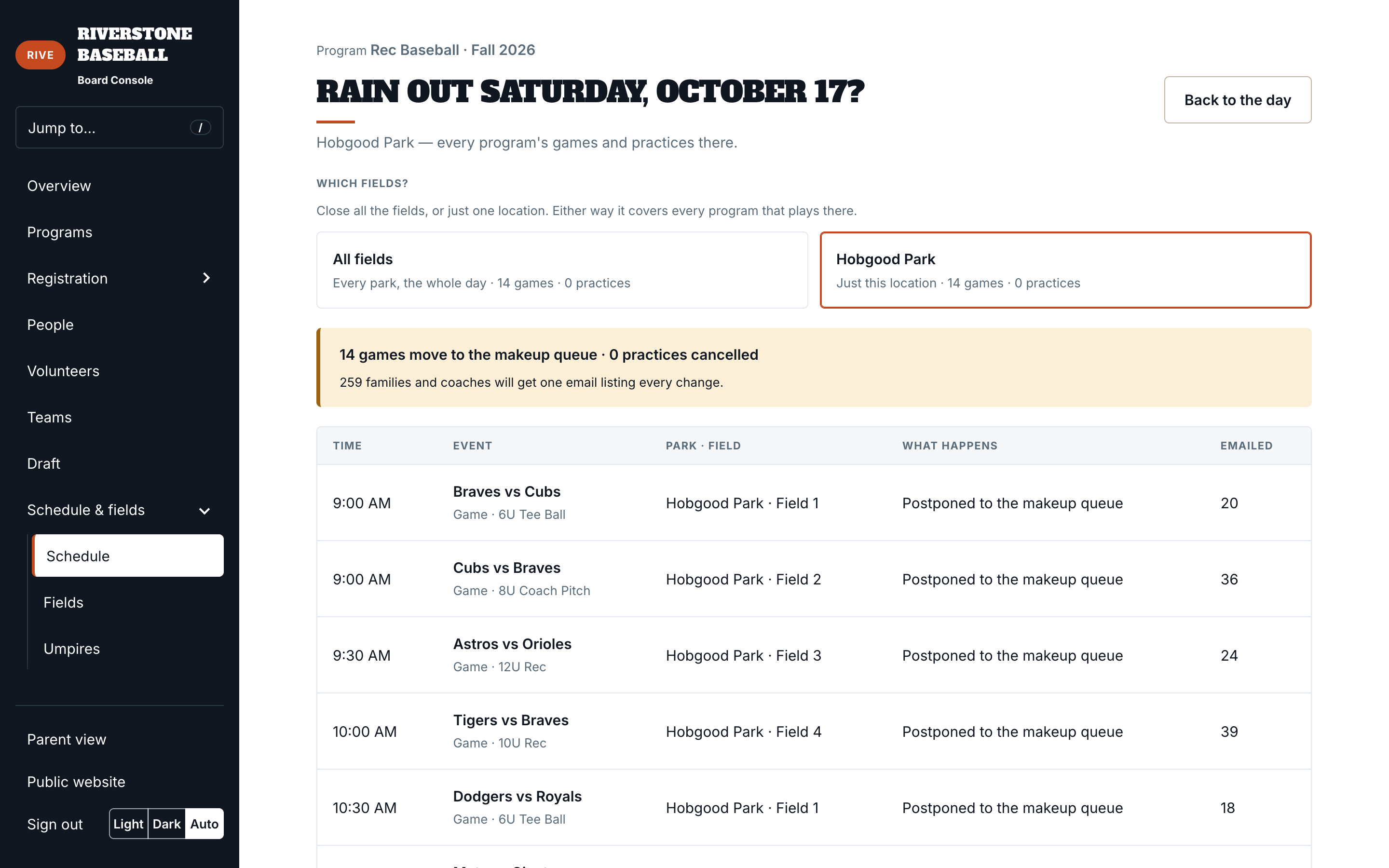
Open a day to move, cancel, or postpone a game. Rainout controls can cover all or part of the day. Postponed games can be worked through the makeup process. Changes to published events notify the affected families and coaches; draft adjustments stay out of their inboxes.
Shared field availability catches collisions across both kinds of events. A practice does not become invisible just because you are working on games.
The parent schedule follows the family’s eligible registrations across seasons. Ongoing games remain visible even after registration opens for a later season.
Review what a change touches before making it. The rainout review shown here lists each affected game, its field, and how many people will be told.
Bring your field list and a sample week. We’ll show how the schedule fits your park.