Setup is a separate task
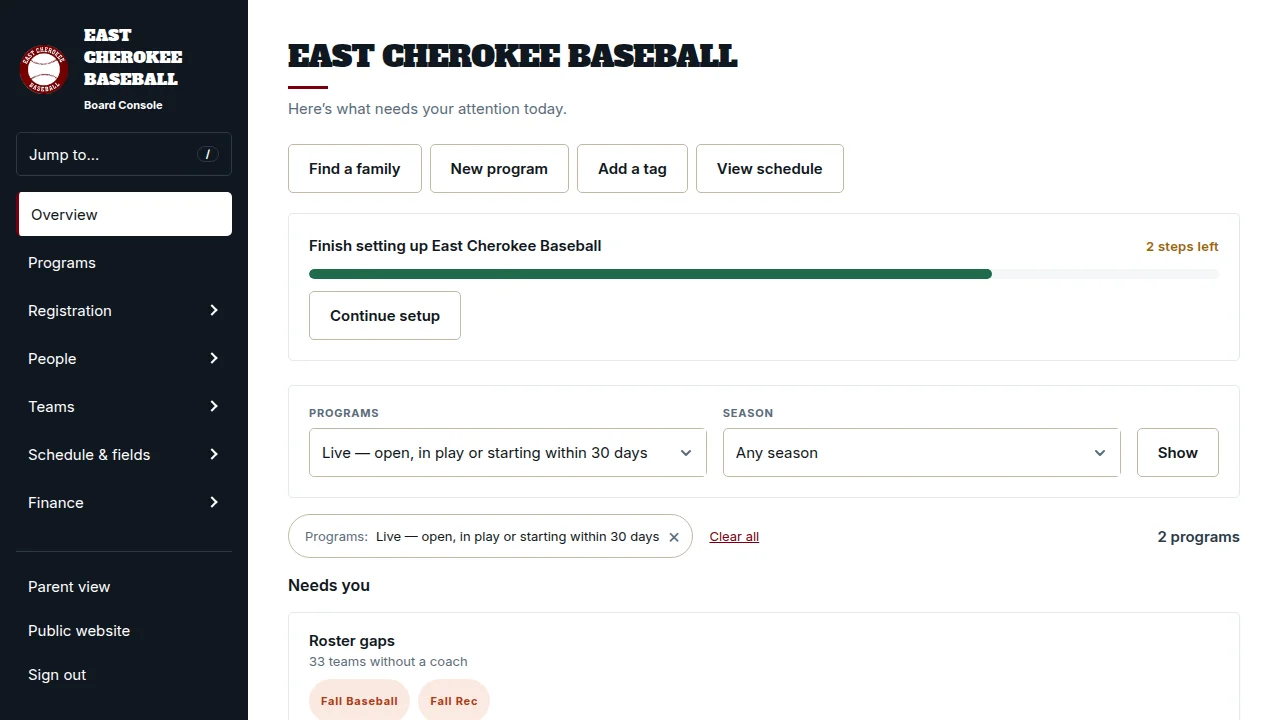
The setup checklist tracks the remaining work needed to get the league ready. Overview stays focused on daily operations rather than showing the same setup checklist forever.
Board & team tools
Keep the everyday work of running a league in a console built around board responsibilities.
From setup to game day
Set up board responsibilities around the work each person performs. League-wide permissions support administrators and treasurers, while division-scoped roles focus coordinators on their own age groups. Access is enforced when opening a page or making a change, as well as in the navigation.
Overview brings together items such as proof-of-age reviews, play requests, roster gaps, outstanding balances, and recent schedule changes. Each row appears only when there is work to do and the member has the relevant access. Follow its Review link to the existing screen where that work happens.
Use the team tools to manage team rosters and staff. Work within one selected season in the console so an upcoming season does not get mixed into today’s work. Season rollover carries setup forward, and audit history gives authorized board members a record of important changes.
The setup checklist tracks the remaining work needed to get the league ready. Overview stays focused on daily operations rather than showing the same setup checklist forever.
Roster work and publication are separate steps. Boards can review assignments before making an update visible to families and sending the relevant notices.
Shared records, scoped responsibilities, and history reduce dependence on one person’s spreadsheet. New volunteers can pick up the league’s existing setup.
Bring your board roles and team structure. We’ll show how responsibilities map into HomeStand.